
2010-09 經歷了職涯以來『最忙亂的三個月』之後,我的網誌就幾近停擺(18個月只發了三篇)。
這中間雖然有題材想發文,卻總是沒有成型。還好,Evernote 筆記 和 Skype 日記 一直沒有中斷,所以也留下不少記錄。在期許真的能重回 Blogger 的此時,先來回顧過去這一年多 ~~
- 11-01 Outlook 用了12年多, 我還是常常改良使用它的方式
- 11-02 留念的E21工程機, 被小孩掉到馬桶, 還拿去充電, 就壞了
(...繼續閱讀.../...CONTINUE...)
2010-09 經歷了職涯以來『最忙亂的三個月』之後,我的網誌就幾近停擺(18個月只發了三篇)。
這中間雖然有題材想發文,卻總是沒有成型。還好,Evernote 筆記 和 Skype 日記 一直沒有中斷,所以也留下不少記錄。在期許真的能重回 Blogger 的此時,先來回顧過去這一年多 ~~
Maybe you have already seen my last post that mentioned Zoundry Raven 0.8.128 alpha (2007-10-26).
After I tried the updated version Zoundry Raven 0.8.134 alpha (2007-11-01), I found it improved quite a lot. Thus, I could have more detailed test run on it.
By the way, Zoundry Raven is the code name of Zoundry Blog Writer 2.0, currently at alpha stage. More detailed information and the download link are available as below
.
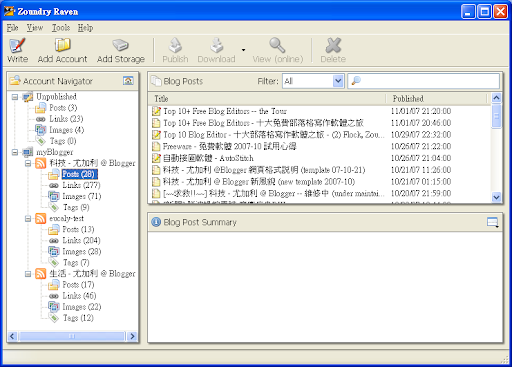
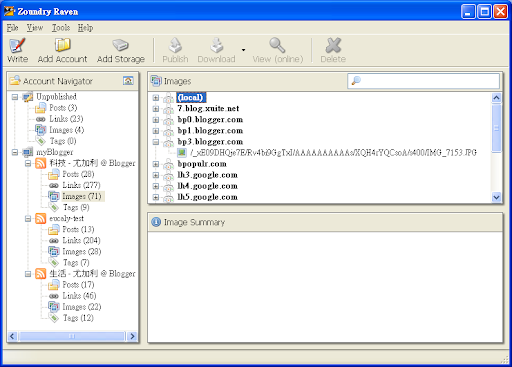
After launching Zoundry Raven, you will see a Profile Manager window. Which is not only able to import WLW settings, but also to provide individual Profile setting for multi-user environment (like most mail software do). In addition, you could configure the path to store the blog database.

.
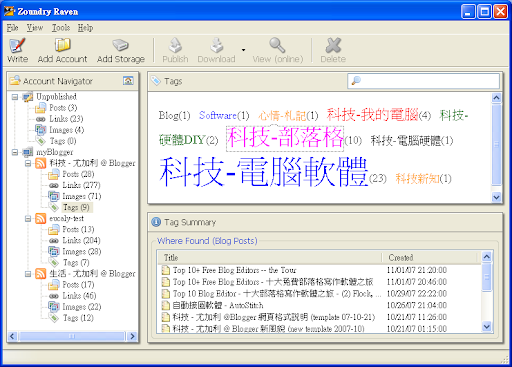
Main window :
| list blog posts | links |
| images | tags (tag cloud) |
.
Editor Window :

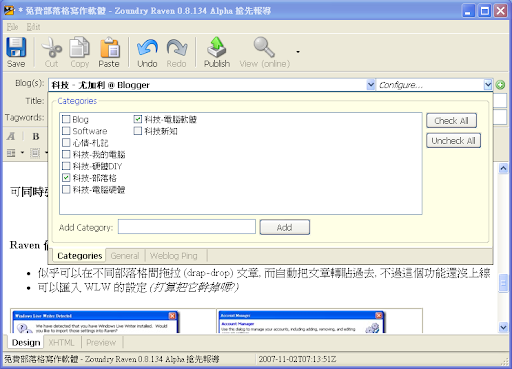
.
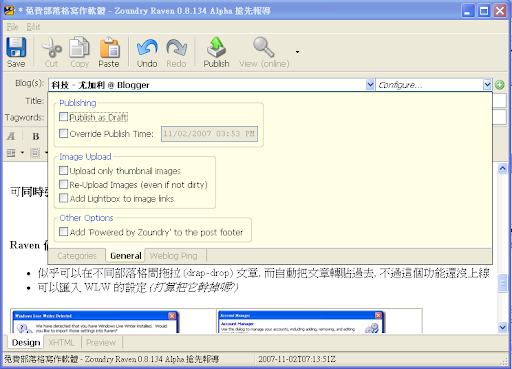 General setting:
 .
.
.
.
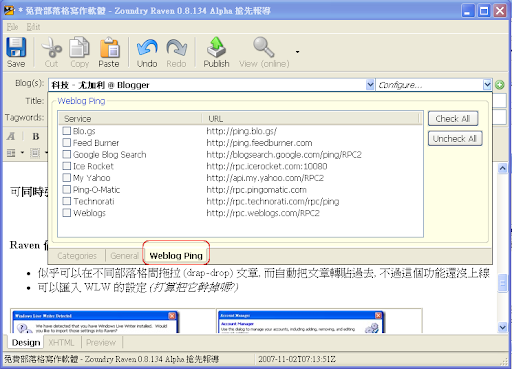
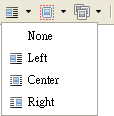
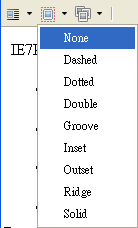
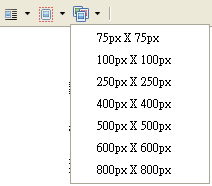
| 圖形位置 | 圖形外框 | 縮圖大小 |
and more ....
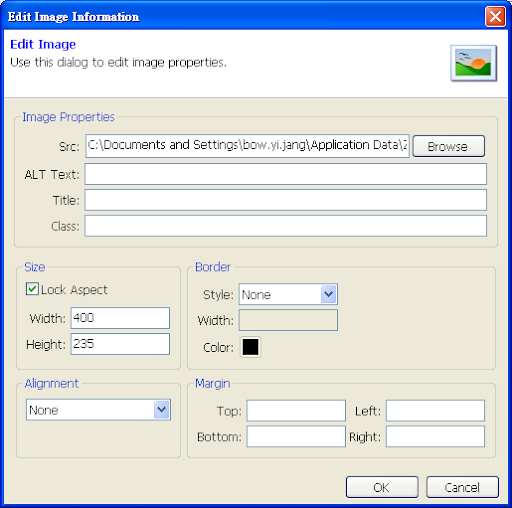
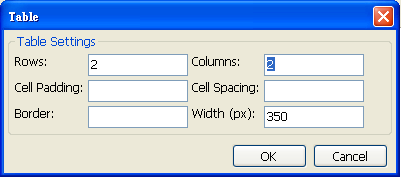
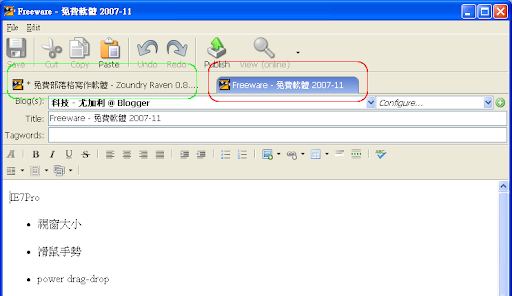
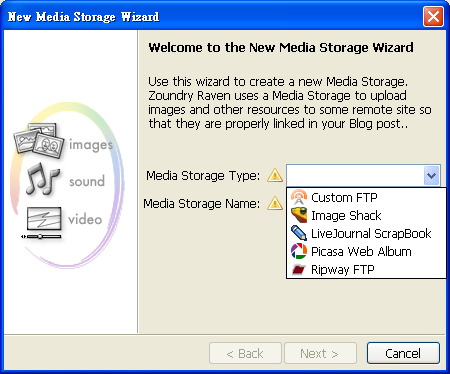
And even more...
.
Feel interesting? Well to have your Alpha Test , or keep monitor Zoundry Raven
.
The scope of this post :
Workable : Windows Live Writer (WLW), Flock, Zoundry, Qumana, ScribeFile
Couple days ago, I found Top 10 Free Desktop Blog Editors for Windows (mashable.com), and Top 10 Free Desktop Blog Editors for Windows reviewed by Mashable (GeekyCoder). The former (mashable.com) did not provide a recommendation, while the later (GeekyCoder) give some comment: (Below is the original statements, and my remarks)
- Microsoft Windows Live Writer
I have to say it is a pleasure to use, and its amazing Web Preview have to be seen to believe. Really WYSIWYG editing! The only issue is it lack smiley support and has some "needless" complexities like New Page/New Post (Why's there two ?). (not quite understand) A very powerful table editor make this the only tool needed for those blog that need table feature. It is the only blog editor I used so far that able to successfully submit a blog with embedded Youtube video without further messing the html code. However, sometimes, it takes a long time to submit blog to Wordpress. Moreover, it change certain windows component which mess up setting, eg JPG file type no longer recognize by windows, instead ask me to select a program to open. (I don't have such problem) It also seem to mess up Wordpress structure. I suggest user wait for the final release rather than use the beta version.- ScribeFire
It really convenience to have this to perform a quick blog. Here to stay.- Zoundry
Editor that past its age. Crash on vista upon exiting. Have lost my
offline entries suddenly. Haven't been updated for two years. Highly
not recommended. Meet my recycle bin months ago. (While some user did not have such complaint, such as: (sorry, in Chinese) [教學]好用部落格文章撰寫工具:Zoundry Blog Writer-酷玩意部落格 ...)- Post2Blog
Malfunction repeatedly. Although its Flickr upload facility is impressive, I can't get it to work as claimed, instead I get xml-prc error which I have no idea how to resolve. Install yesterday, and disappear from my notebook ten mins later. Have a table feature that doesn't seem to work at all. Whatever, my experience could be different from your, and you might find some luck in using it. (I have Post2Blog in my notebook couple of days -- until I lost the first few paragraphs of this English version.)
I felt these two articles about Top 10 Free Desktop Blog Editors could not provide enough information for me. So that I decide to launched my own tour.
The scope of this post:
Main reference materials :
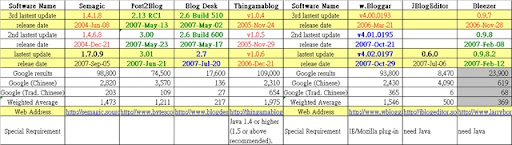
Before the tour, I collected some related information, include: the latest version and released date of each editor, keyword web page numbers (by Google) .... According to the web page numbers, Windows Live Writer is no doubt to have the leading position. ---- This makes me wondering if my own tour for "Top 10 Free Blog Editors" will be worth something ...
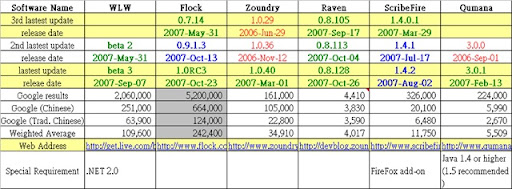
OK!! Let's GO!!
ScribeFire is not a stand-alone blog editor, it's a FireFox add-on. This is beyond my scope. While, you can check below for more information : (sorry, all in Chinese)
Not My Business- [Firefox 附加元件]Blog離線編輯工具ScribeFire,
電腦玩物- ScribeFire 1.4.2:Firefox上的部落格文章編輯器
Windows Live Writer (WLW) seems to be the most well-know blog editor at this moment. But WLW is far from perfect, for example :
Of course, WLW does have many goods, especially it's still Beta 3. (We hope the official version to be better than this.)
Official version list. Official version comparison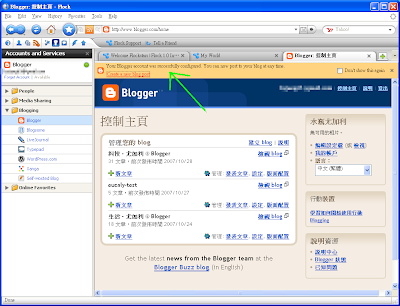
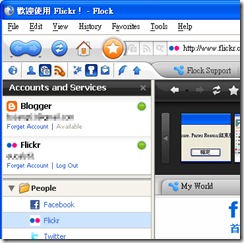
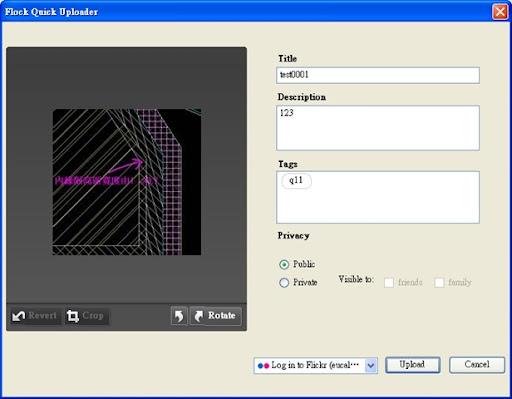 Popup a window to upload images to Flickr, while I cannot login to Flickr successfully from this window |
Return to web browser main page, check if there is a "green light" right after Flickr. |
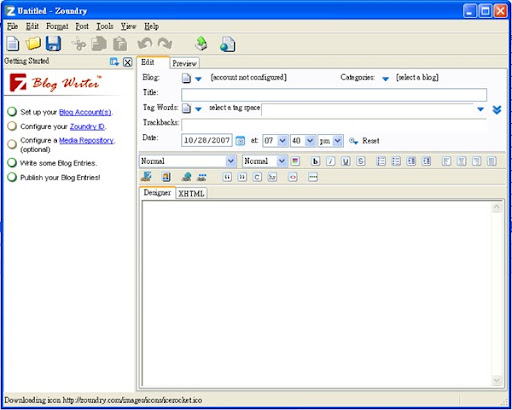
Official feature list. Official release notes
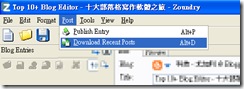 Download recent posts manually under Zoundry |

According to Raven Development Blog: (2007-10-28)
 Import WLW settings |
|
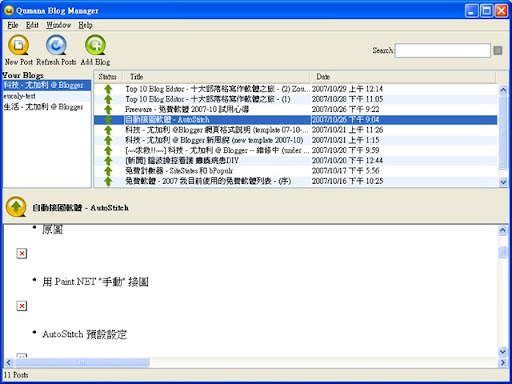 Official feature list.
No official version list, while here is some info.
Qumana need Java 1.4 or above (1.5 recommended)。
Post2Blog, Semagic are very fast in launch, but do have some other problems
Blog Desk, Thingamablog do not support Blogger
| SW Name | Launch | Save Draft | Publish |
| WLW | 15~30 sec | 3~5 sec or more | 30sec or more |
| Flock | 15 sec | 1sec | 5sec |
| Zoundry | 15~30 sec | 1sec | 10sec |
| Raven | 15 sec | 1sec | 10 sec |
| Qumana | 30 sec | 2sec | 15 sec |
| Semagic | 5 sec | 1sec | 5sec |
| Post2Blog | 5 sec | X | X |
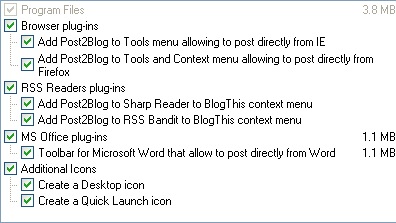
 Semagic has a sudden version jump from 1.4.6.8 (2004-12-11) to 1.7.0.9 (2007-05-07). Originally designed for LiveJournal, but can be configured to support Blogger/Blogspot (Please refer to How to configure)
Blog Desk not support Blogger/Blogspot. No official announcement found in addition to Do you support blogger.com? (2006-06-20 ~2006-10-08)
Thingamablog seems like a blog editor of totally different concept. I guess it cannot support Blogger/Blogspot. Please refer to some text cropped as below:
Changing Blog URL (Jonas Martinsson, 2007-01-25)
The basic idea of Thingamablog is that there is no server software required - all HTML is generated on the client and then uploaded to the web directory of your choice using FTP.
Below is my own unsuccessful experience. Somebody else might know how to use these editors with Blogger/Blogspot.
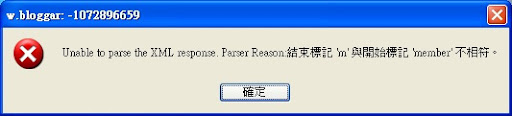
w.Bloggar has a new version to support UTF-8 recently. There are two versions, one for IE, one for Mozilla. But I still failed to configure Blogger account within w.Bloggar. This made me have totally no idea about its editing interface. Although there were some instructions (How to Post to Blogger and Finally UTF-8 Version!, Getting w.Bloggar to work with Blogger Beta), w.Bloggar still popup the same error message:
Unable to parse the XML response. Parser Reason : Ending tag 'm' does not match beginning tag 'member'. |
Later, I found some work around to see the editing interface of w.Bloggar. While I think below items will make you understand why I stop using it.
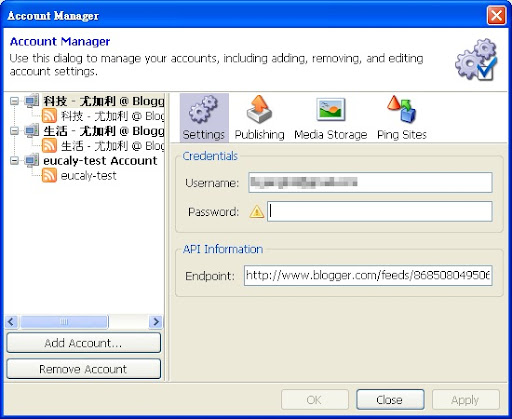
Failed to configure Blogger account.
Failed to configure Blogger account.
Someone might asks : How do I compose this post?
After repairing the draft materials, I also ask myself over and over.
The answer is, Zoundry => Flock => Qumana => ... one after another ..., found that functionality such as "upload images" is not the major points, ... but the handiness. For example :
Then I moved the editing contain from one editor to another and continue to proceed. Mostly, the copy-paste will result in correct result in either richtext or html mode.
You should believe that, the Devil is in the Details. Finally, I surrender myself to "Chinese compatibility" and "fineness of the editor", back to Windows Live Writer to finish the remaining portion ... Auto-save was pretty slow and sticky, but my effort was secured. I have neither to fight with popup window of Chinese input method (IME), nor to worry about the format being spoiled.
As for this English edition, after fail with post2blog, I choose Qumana for it's real time spell check and more stable editor as compared to Flock or Zoundry.
OK, this is my tour for Top 10+ Blog Editors, and is just from my own experience. Maybe yours would be different.
.





 /
/

